From sign-up to your first diagnosis.
A plain-English walkthrough of registering, logging in, and using DriveScore well every week — one track for students, one for teachers.
- 1
Create your account
Tap Sign up free, choose Student, and fill in your name, email, and a password. It takes under a minute.
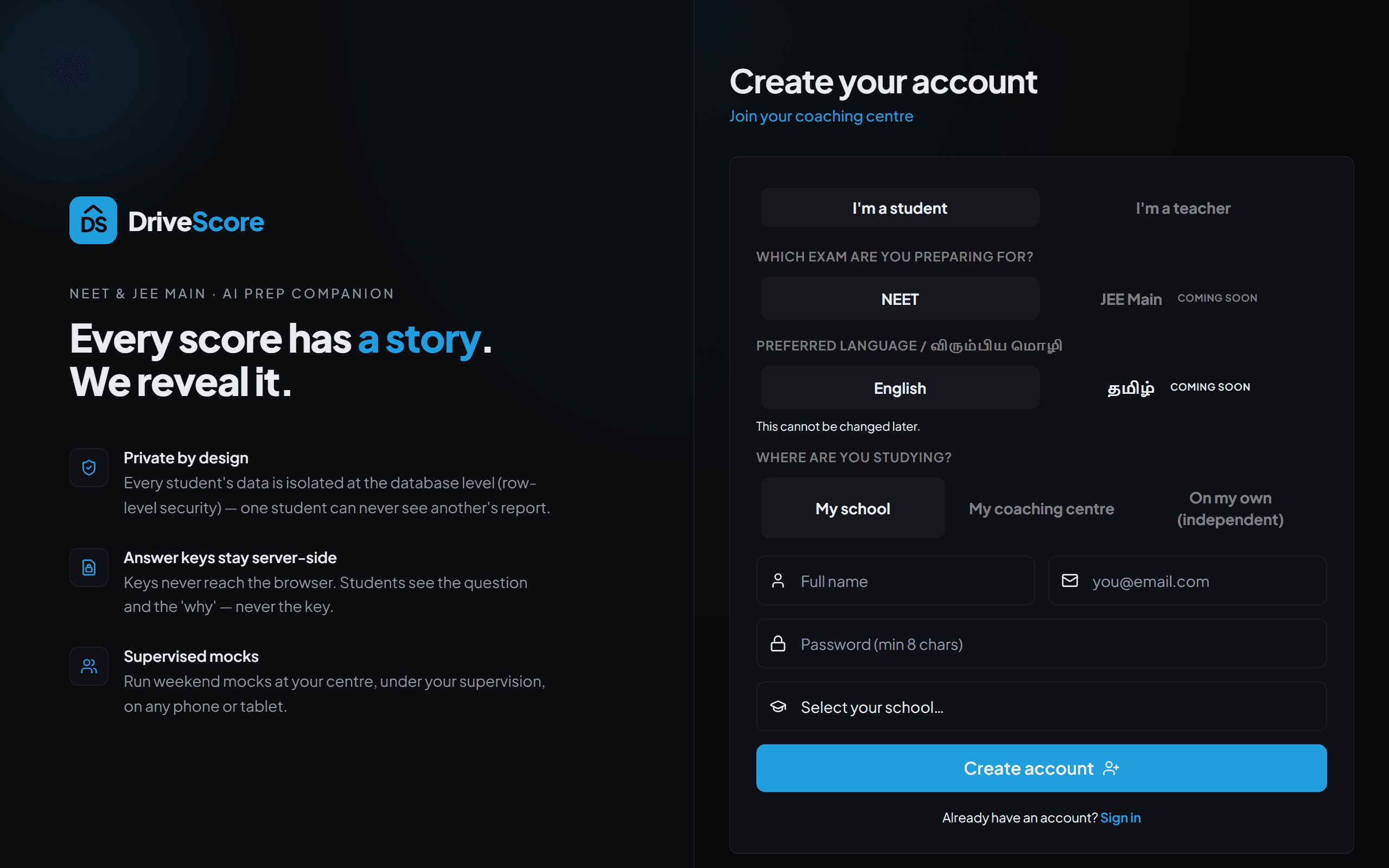
The sign-up page — choose Student to get started. - 2
Verify and log in
We email you a confirmation link. Click it once, then log in with the same email and password you just set.
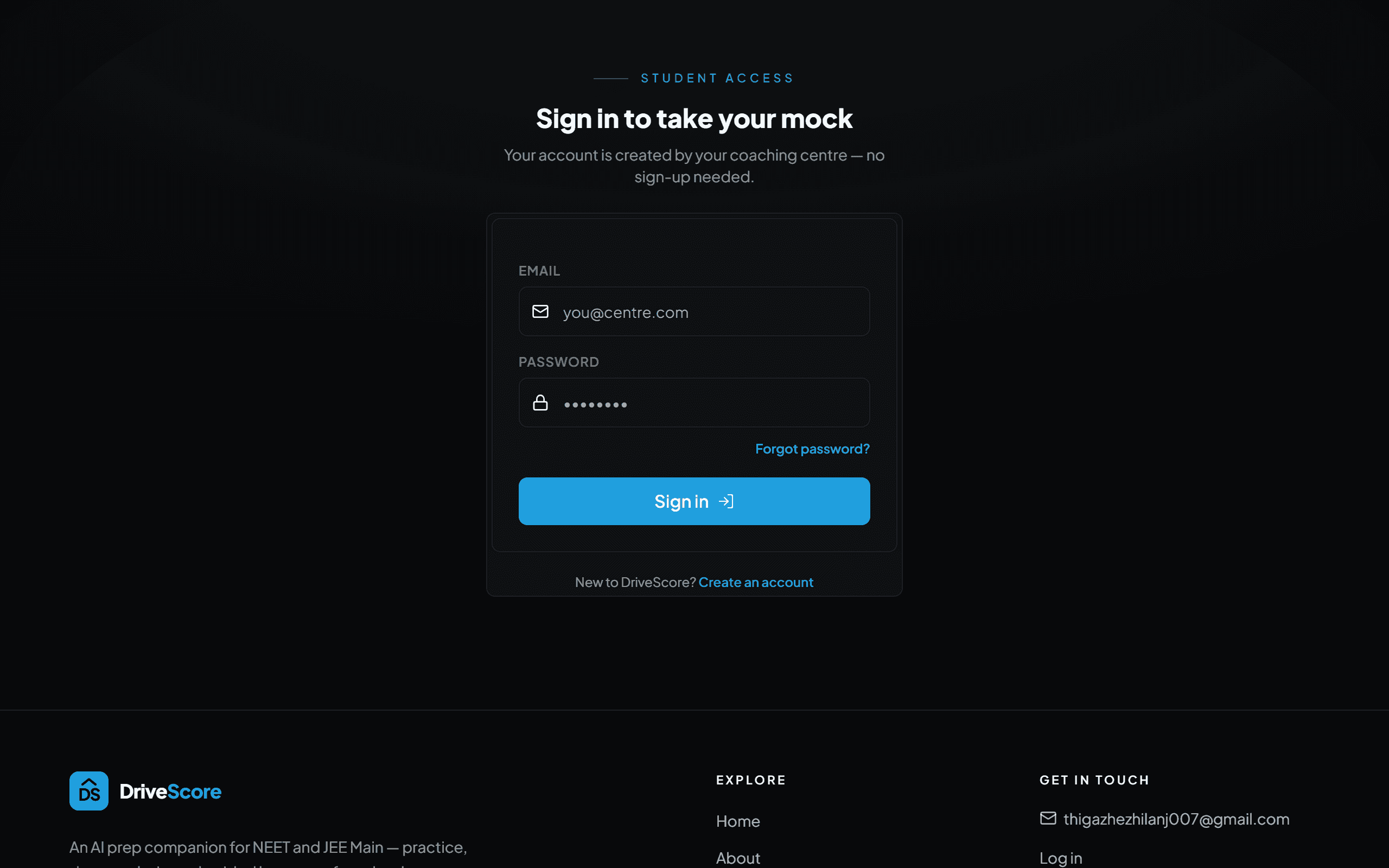
Confirm the email link, then log in. - 3
Join your school or centre
Pick your school or coaching centre from the list while signing up. Not listed, or studying on your own? Choose Independent — you still get every feature.
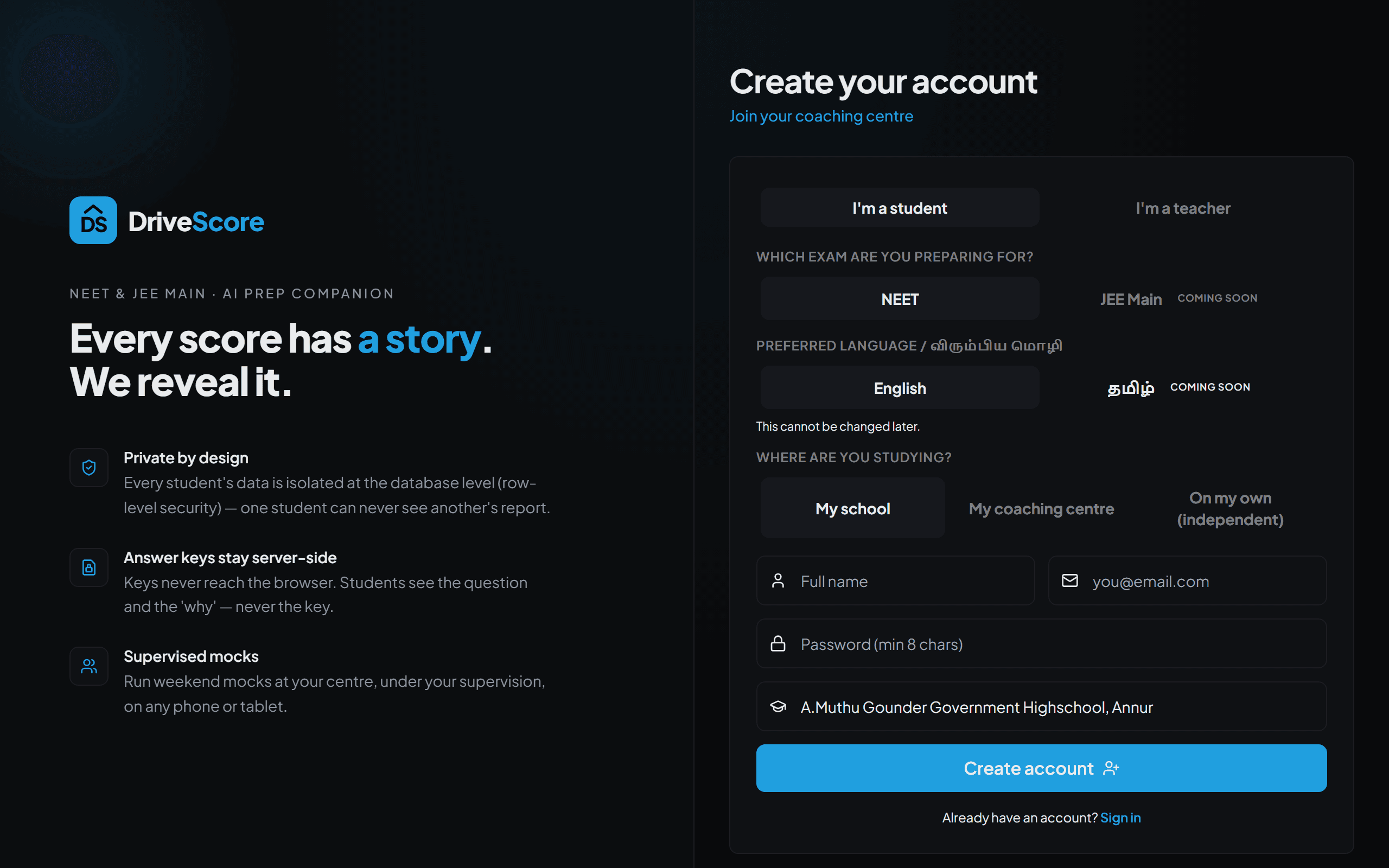
Pick your school or centre — or go Independent. - 4
Take your first practice set
Choose NEET (JEE Main is coming soon), then pick a subject or a single chapter. Small is fine — even one chapter gives you a real diagnosis.
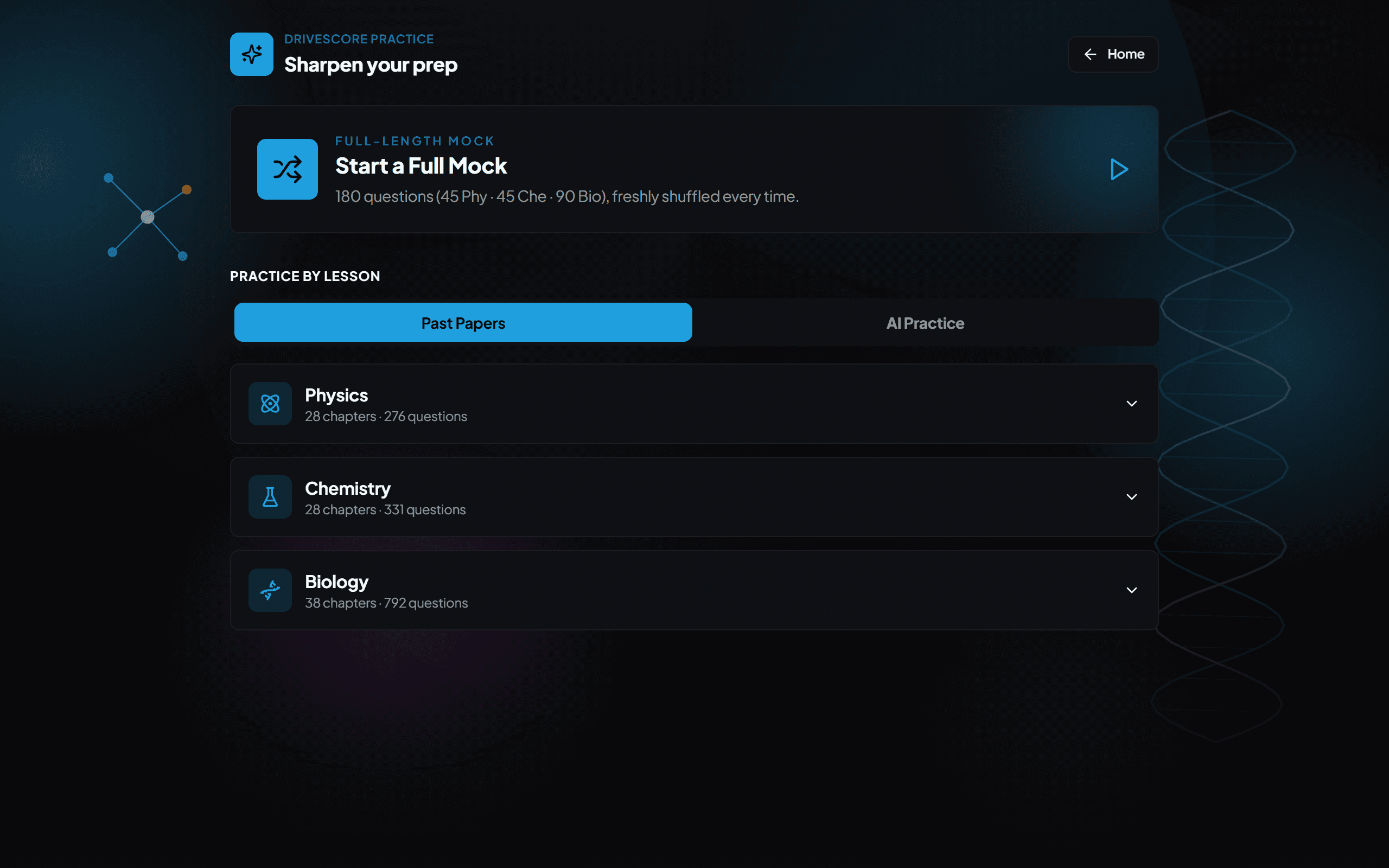
Pick a subject or chapter and start practising. - 5
Read your diagnosis
Every lost mark is sorted into one of five plain-English causes, so you always know what to fix next:
- Concept Gap — you genuinely didn't know it — re-learn the idea.
- Careless — you knew it but rushed — easy marks lost.
- Guess — answered too fast to have worked it out.
- Too Slow — right answer, but it burned too much clock.
- Time Management — ran out of time or left it blank — a pacing problem.
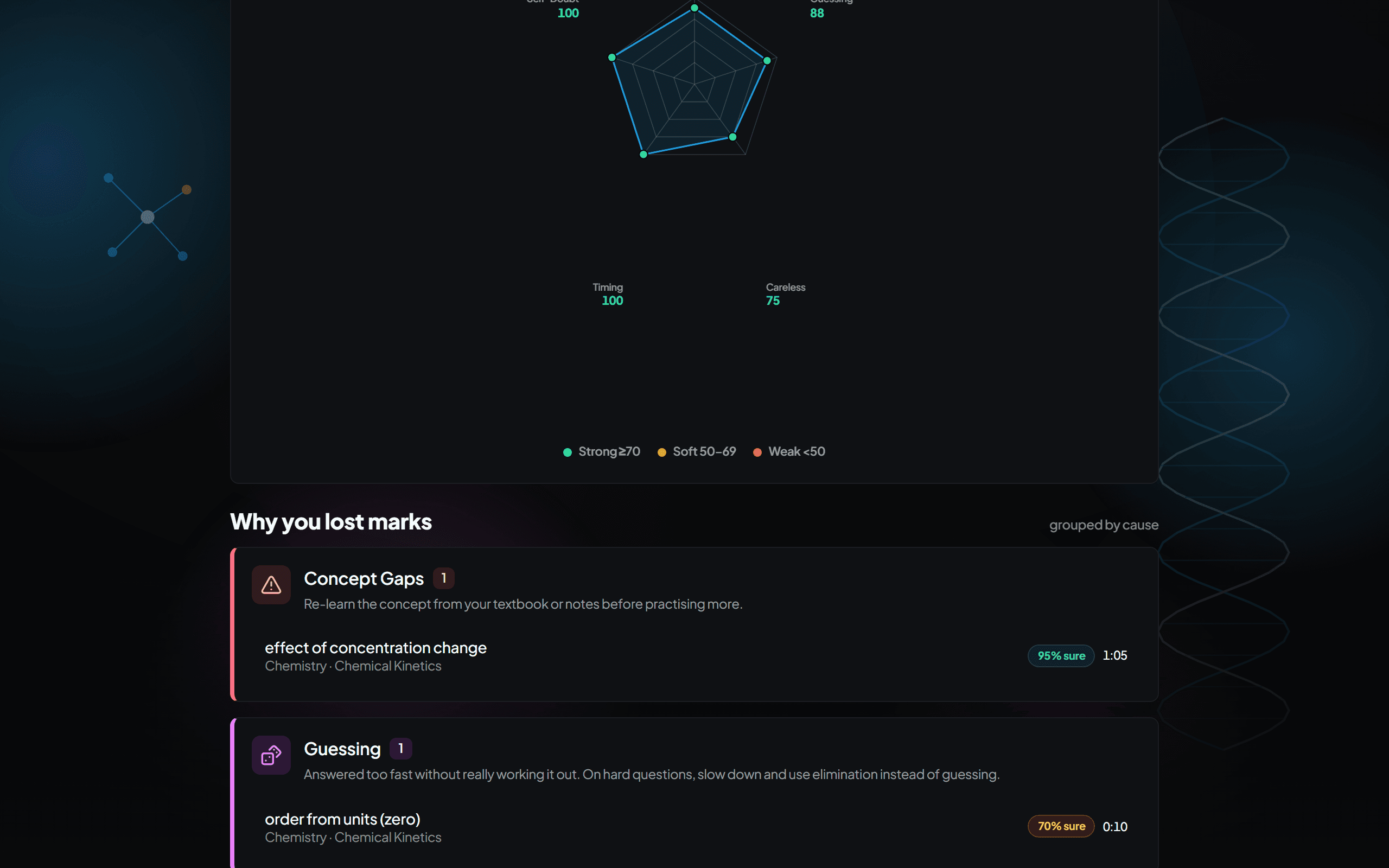
Your report names the reason behind every lost mark. - 6
Open the “Why” panel
Every question has a worked explanation. Read it even when you got the answer right — knowing why it's right is what makes the mark repeatable.
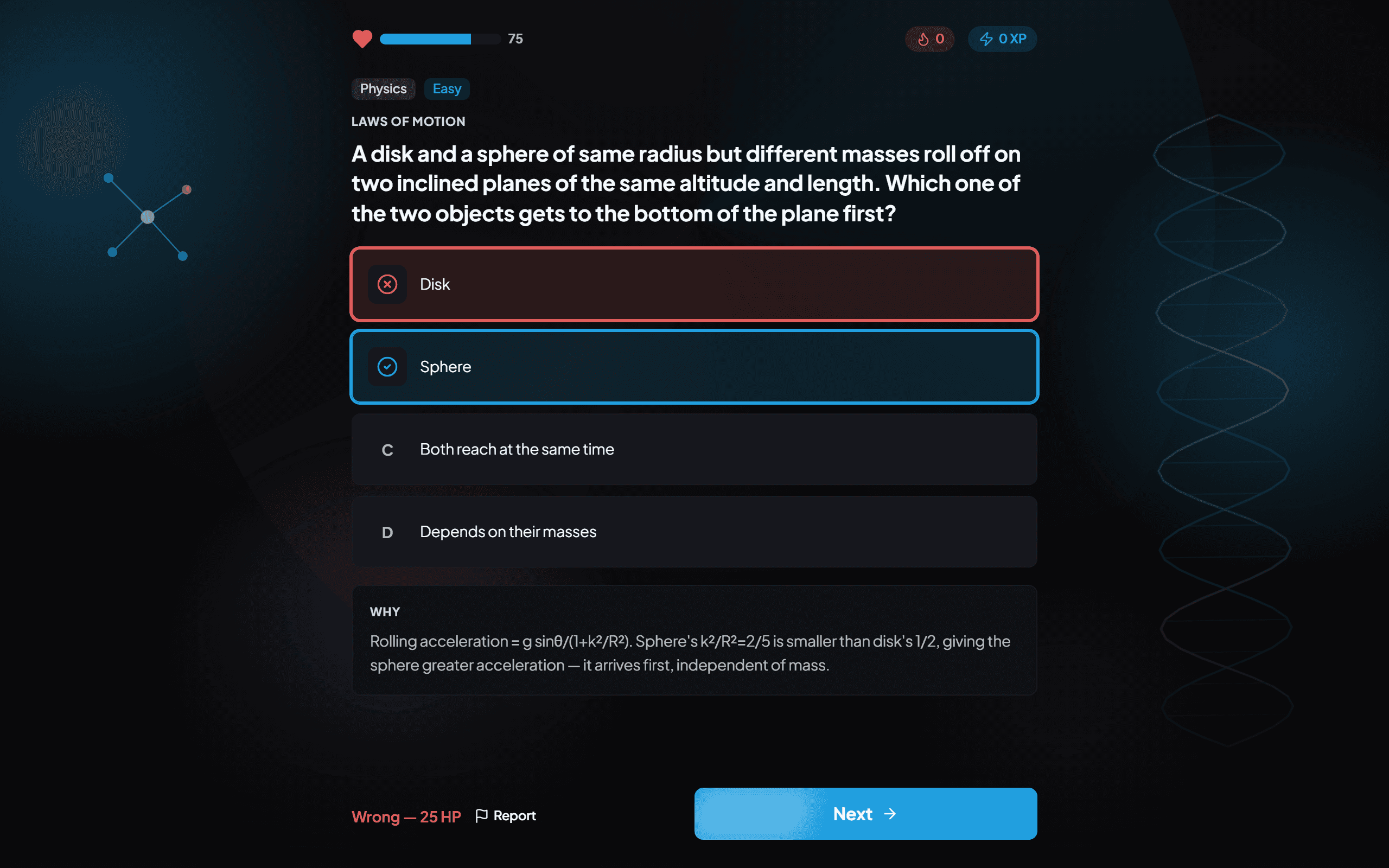
Every question comes with a worked “why”. - 7
Track your rating over time
Your rating moves with the difficulty of the questions you beat, not just your raw score. Watch the trend across weeks — not one test.
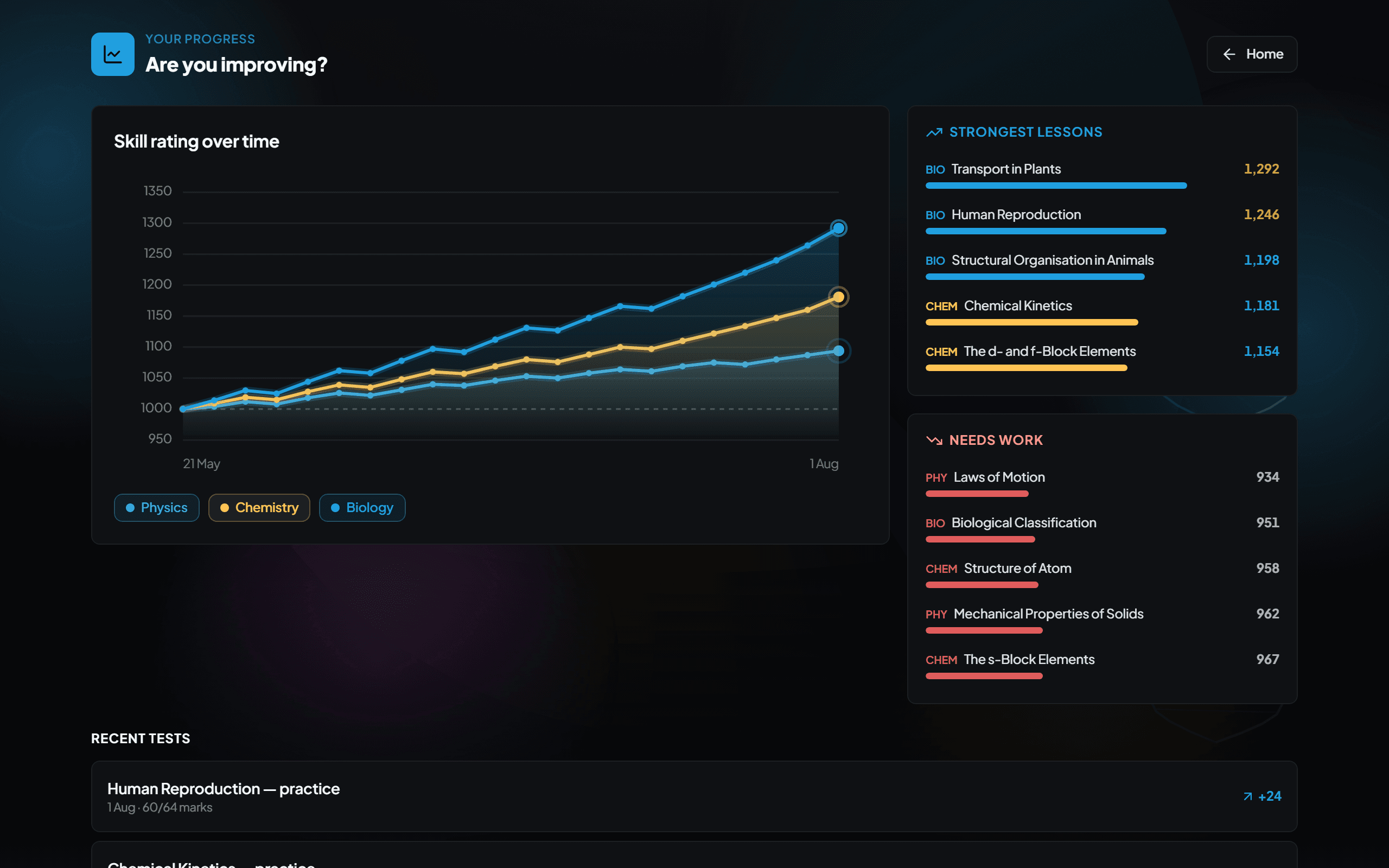
The rating rewards beating harder questions, not just scoring.
- 1
Get your teacher account
Choose Teacher on the sign-up page, select your school or centre, and enter the teacher join code from your admin. Centre not on DriveScore yet? Book a demo.
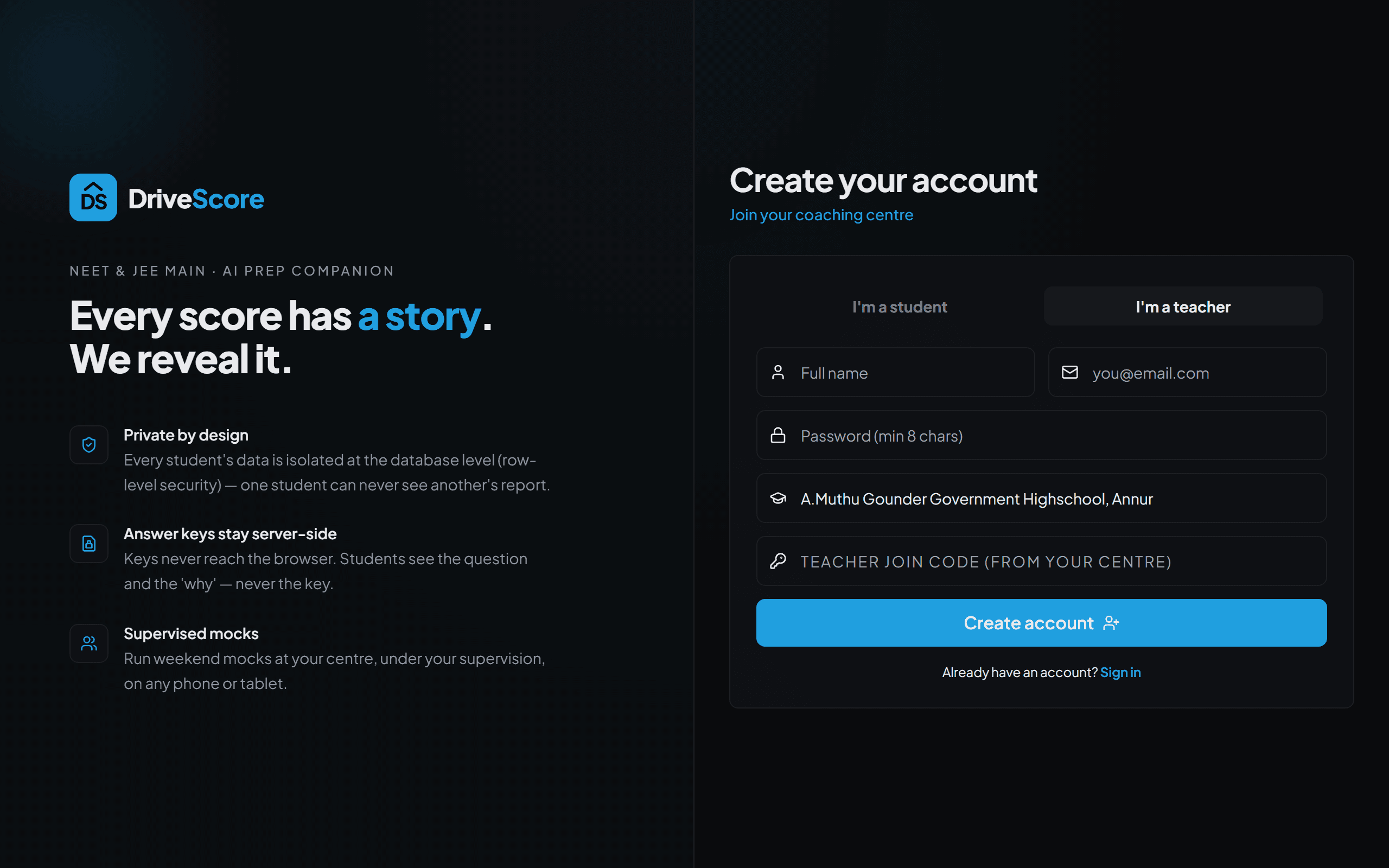
Teacher sign-up — your admin gives you the join code. - 2
Log in to the teacher dashboard
Sign in and you land on the teacher dashboard: your batches, recent mocks, and class-level insight in one place.
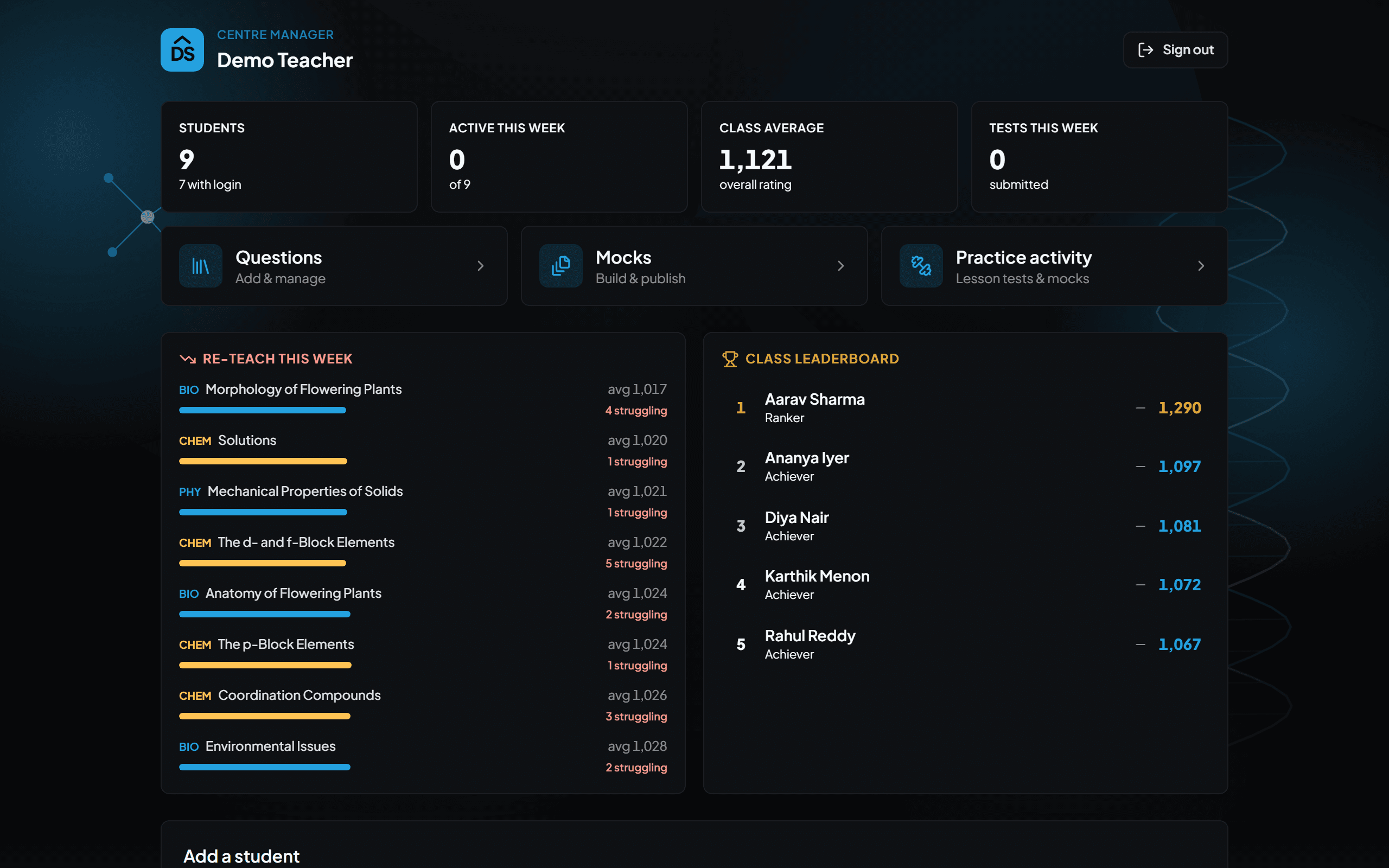
The teacher dashboard — everything class-level lives here. - 3
Get your students connected
Ask students to pick your school or centre when they create their account. Every mock they take then rolls up into your class view automatically.
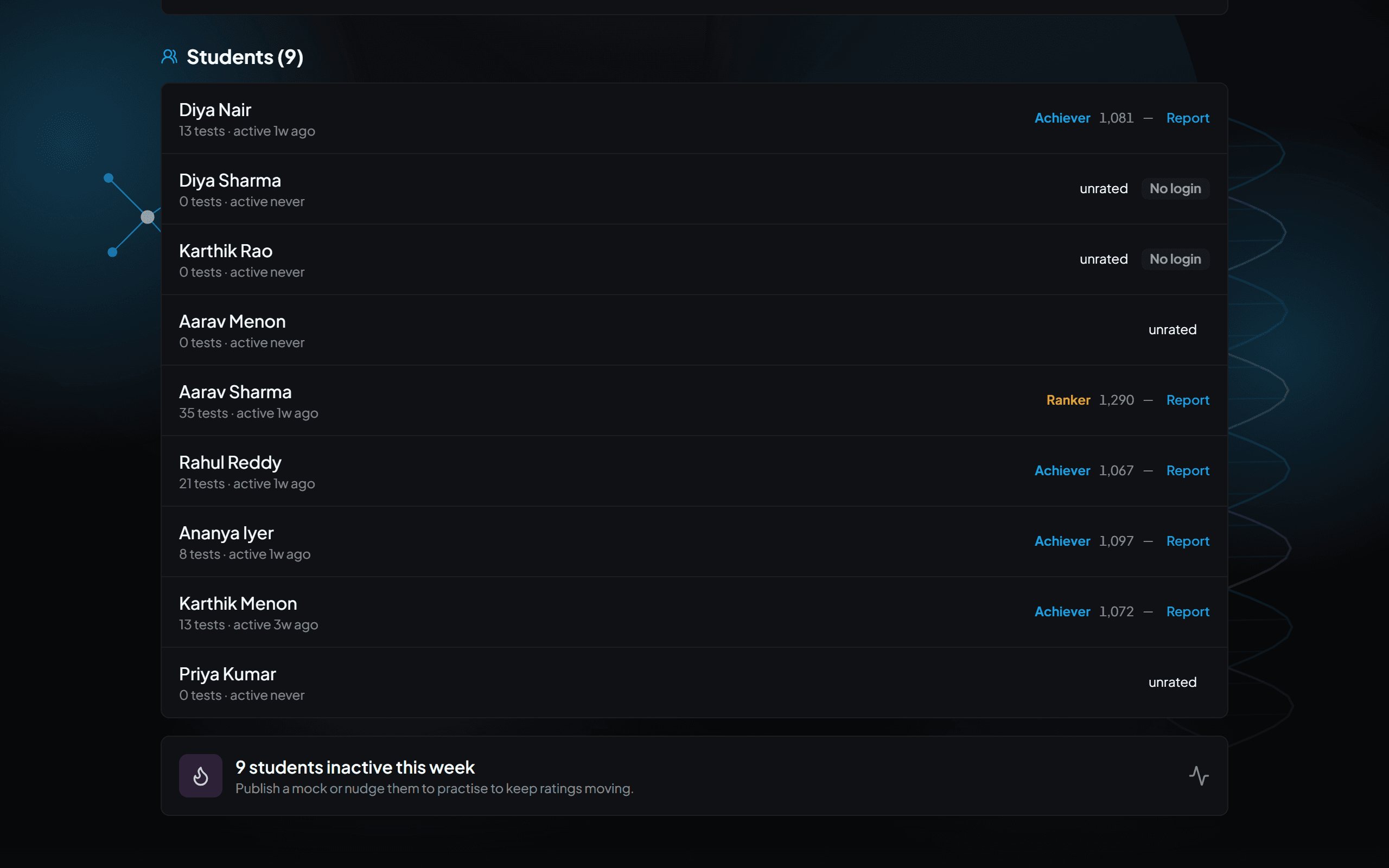
Students who join your school appear in your class view. - 4
Assign — or let them self-practise
Publish a mock to your batch, or simply let students practise chapters on their own. Either way, every attempt is auto-graded and diagnosed the same way.
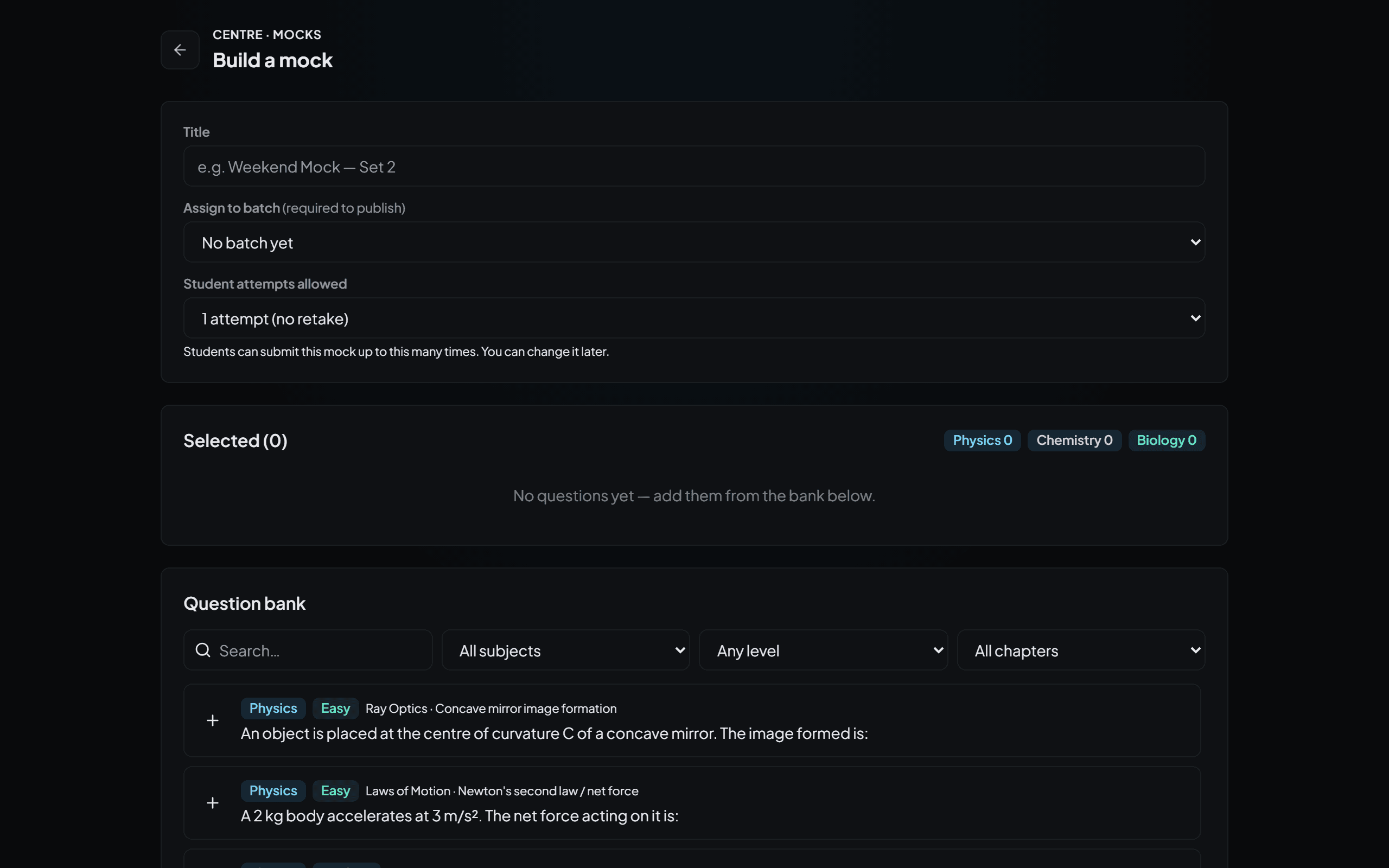
Assigned mocks and self-practice both feed the same diagnosis. - 5
Read the class view
The class report ranks chapters by how many students struggled with them — so you see what's weak across the whole class, not just inside one student's paper.
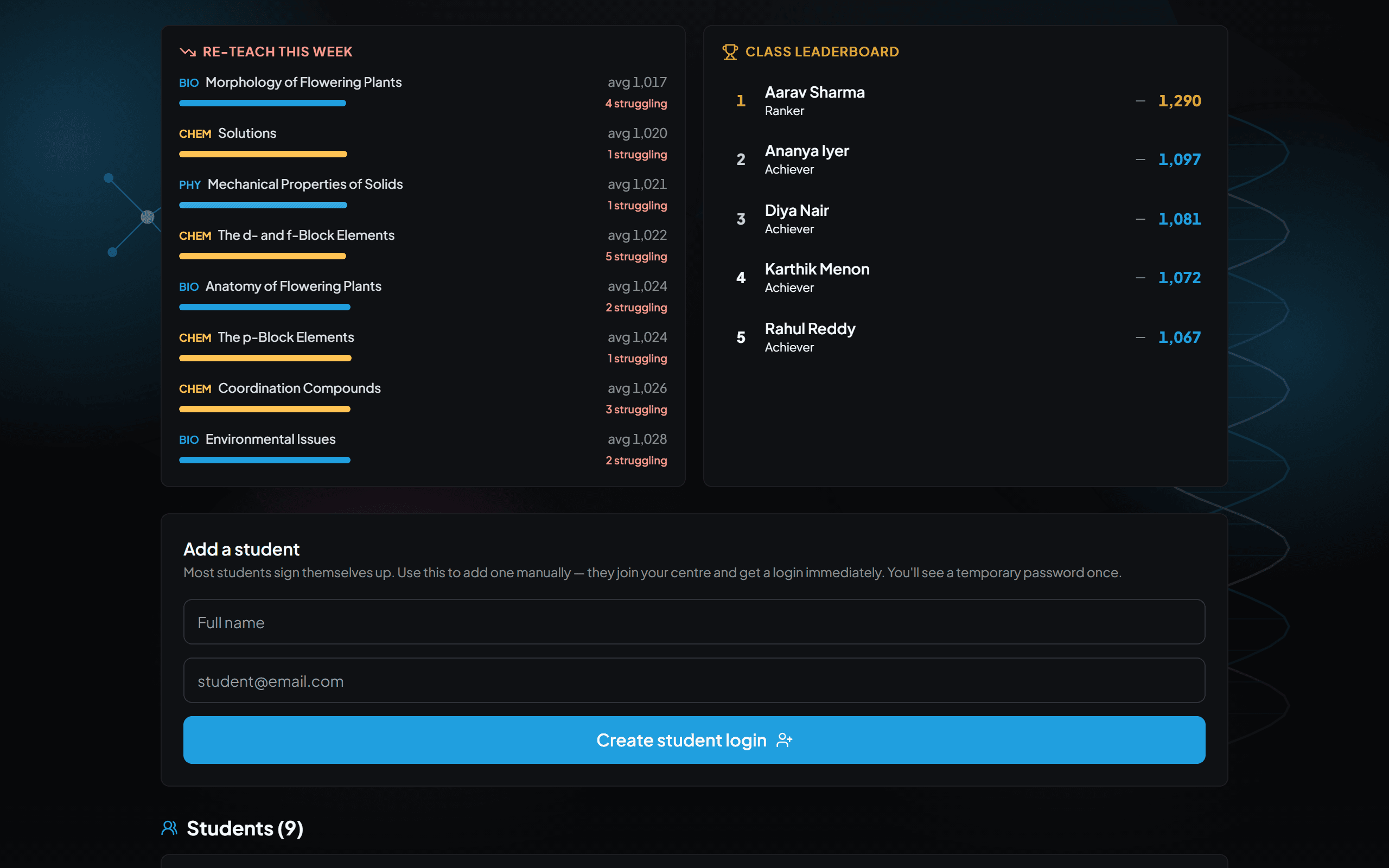
Weak chapters ranked across the whole class. - 6
Concept Gap vs Careless — know the difference
A Concept Gap means students genuinely don't know the idea — only re-teaching fixes it. A Careless slip means they knew it and still lost the mark — that needs exam technique and timed practice, not another lecture.
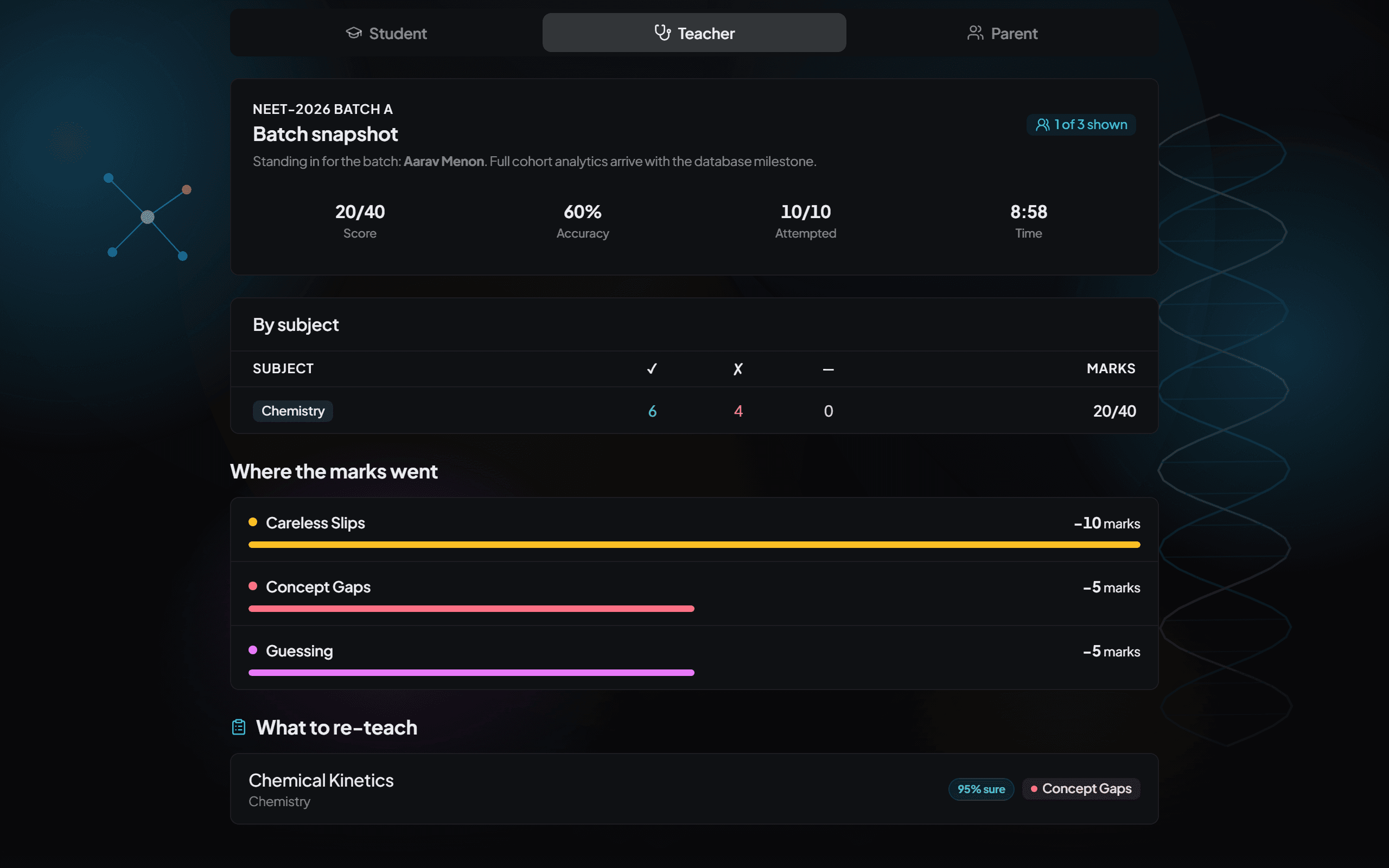
Two different problems — two different fixes. - 7
Make it a weekly rhythm
Assign a mock, skim the class report, then spend ten minutes re-teaching the top weak chapter. That small loop, repeated weekly, is where the marks come from.
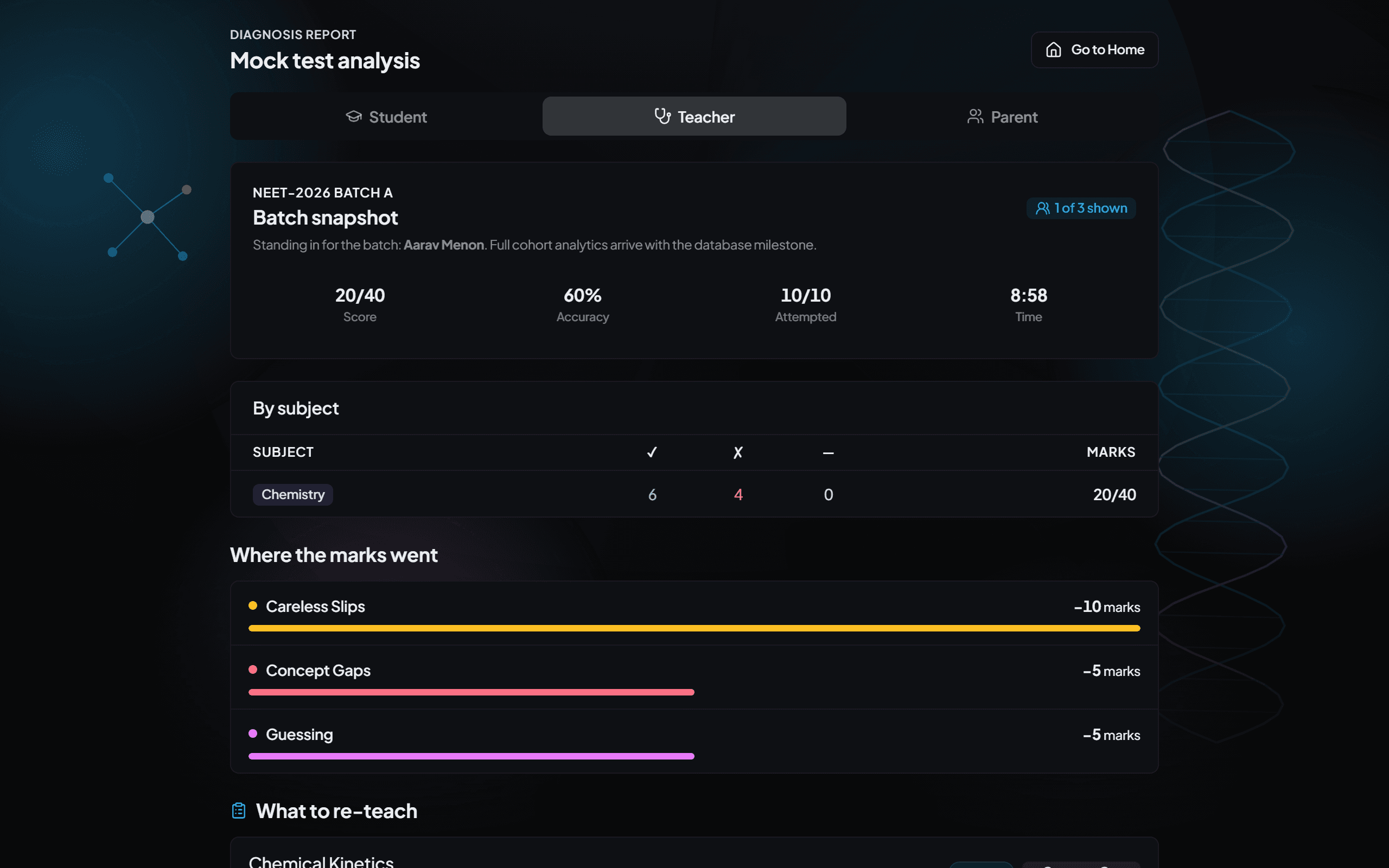
Assign → review → ten-minute re-teach. Every week.
Ready to see your first diagnosis?
Sign up free and take a practice set today, or book a demo and we'll walk your whole team through it.